








Introduction
The Coping Coach app was created for everyone, including Veterans and service members, to support self-care and overall mental health.
My specialist recommended this app to me as a way to use coping skills on the go. It has helped me tremendously in overcoming anxiety when I'm out and even at home."
I am so thankful for this app. It has gotten me through some of the scariest and worst days this year, and I have recommended it to everyone I know.”
Features
- Education about the effects of stress and different ways to cope
- Tools for self-care and managing stress
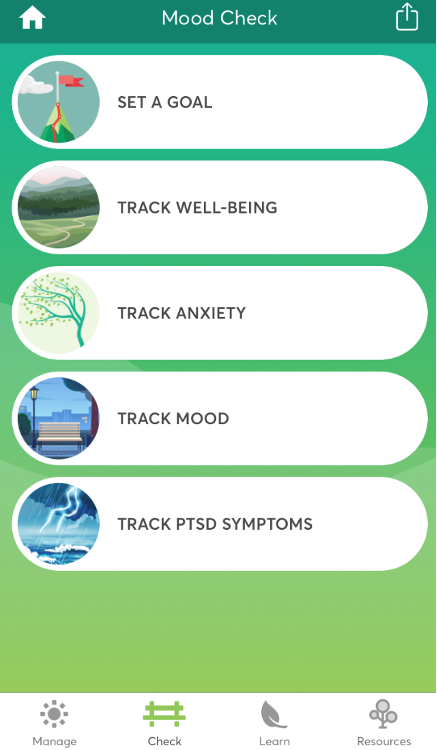
- Trackers to check your mood and measure your growth toward personal goals
- Graphs to visualize progress over time
- Resources to help meet basic needs or find professional help
How To Use Coping Coach
Coping Coach can be used as a stand-alone education and self-care tool or as a supplement to professional mental healthcare. You can mark your favorite coping tools and track your mental health over time. Set reminders to visit the app each day and work toward your goals.
Several of the questionnaires used in Coping Coach, including the PTSD Checklist (PCL-5), are reliable and valid self-report measures used across VA, Department of Defense (DoD), and the community, but they are not intended to replace professional evaluation.
Training Materials
Additional Links
FAQs
What are the main features of the Coping Coach app?
The Coping Coach app features tools to track your mental health, various ways to manage stress, educational information on wellness, and connections to resources for additional support.
Do I have to be a Veteran to use the Coping Coach app?
No. Coping Coach can be used by anyone, including civilians, Veterans, and service members.
Does Coping Coach offer medical advice from healthcare professionals?
No. Coping Coach is not intended to replace professional care. It can be used independently or in addition to treatment by a healthcare professional.
How do I use the Goals feature?
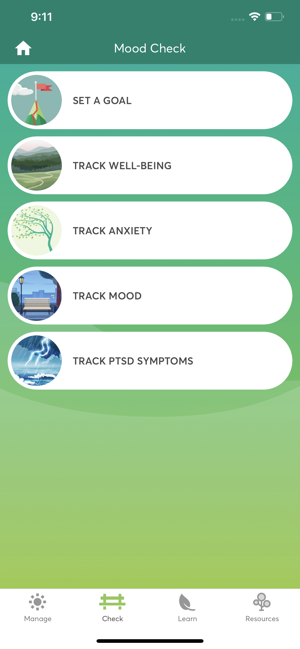
On the home screen, tap on MOOD CHECK, then tap SET A GOAL. This will take you to the Goals page. You can set a goal by tapping ADD NEW GOAL at the bottom of the page. Type your goal in the text box and tap NEXT in the top right corner of the screen. This will prompt you to record how successful you have been in meeting your goal. Drag the green circle on the sliding scale between 0 and 100 to record what percentage of your goal you have met today. Tap SUBMIT to record your progress. You can edit your goal by tapping on it and either changing the percentage on the sliding scale or using the icons in the top right corner of the screen to delete or make changes to the goal. Check your Goal History by tapping on the icon in the top right corner of the Goals page. This will show you a graph of your success rate from day to day.
How can I keep track of the tools that work best for me?
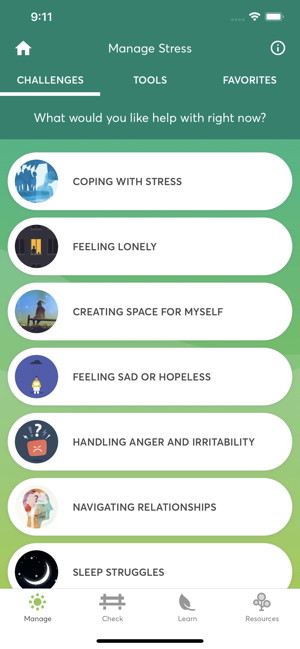
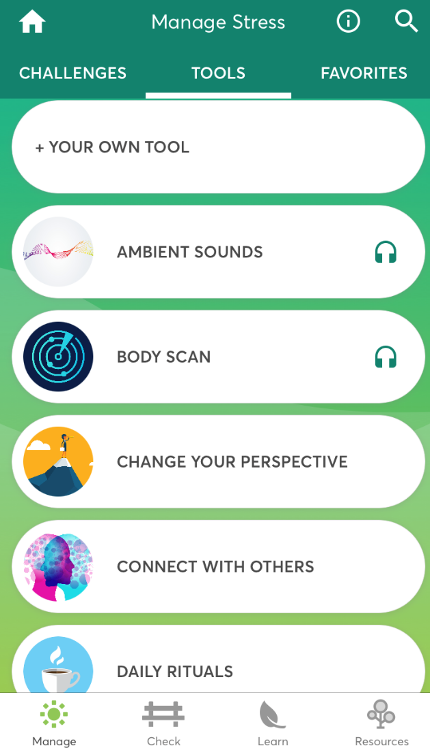
On the home screen, tap on MANAGE STRESS. At the top of the page, tap the TOOLS tab to access all of the tools available to help manage stress. Choose which tools work best for you, then tap the FAVORITES tab at the top of the page and tap ADD A FAVORITE. Choose a tool from the list, then tap the SAVE button in the top right corner of the page. Your favorite tools will now appear in the FAVORITES tab as well as at the bottom of the home screen for easier access. You can also ADD A FAVORITE by using the button at the bottom of the home screen. To remove a tool from your favorites, go to the FAVORITES tab, place your finger on the tool you want to remove and slide to the left, then tap the red UNFAVORITE button.
How do I set a reminder?
On the home screen, tap the clock icon in the top right corner. Choose which reminders you would like to set by tapping the button to the right of the reminder. (You may receive a message prompting you to turn on notifications for Coping Coach in your SETTINGS app.) The button will turn green when the reminder is turned on. Once a reminder is turned on, you will be able to set the frequency and timing for the reminder.
Can I access my data and share it with others outside of the app?
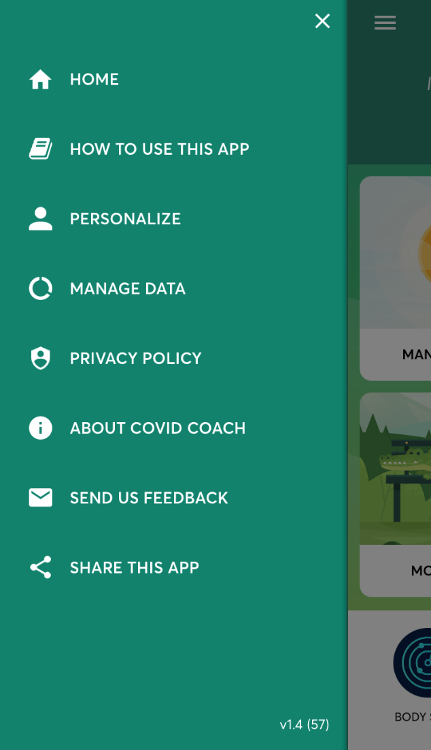
Yes, you can share your data with yourself and others via email. Go to the dropdown menu in the top left corner of the home screen and tap MANAGE DATA. Tap EXPORT MOOD CHECK, then use the buttons on the left side of the screen to choose which data to export. Tap EXPORT DATA. You will be prompted with a Privacy Warning. Tap CONTINUE, then enter the email recipient(s) you would like to send the data to.
How can I use Coping Coach to find additional health resources?
Tap the FIND RESOURCES icon on the home screen to access a wide range of resources available to you, such as crisis support and finding professional care.
What do I do if I need additional information or help?
Questions about the Coping Coach mobile app can be sent to MobileMentalHealth@va.gov.
If you have clinical questions about your health or medical treatment, please contact your healthcare team, or call MyVA311: 1-844-698-2311. For TTY assistance, dial 711.
Help
For help with this app, contact the National Center for PTSD at:
Email: MobileMentalHealth@va.gov